Stop losing count between the pattern and the needles
A +1 button floats over the pattern page, the PDF or the video you are following; the count, the target and the repeat live on your device, no app to switch to and no account.
Add Row Counter to Chrome — free
- Works on pattern sites, PDFs in Chrome, Ravelry, YouTube
- Repeat counter: «row 5 of 16, repeat 3»
- Several projects, all stored locally
Row 41 or 42? The tally on the phone says one thing, the pattern another
The pattern is open in a tab, the counter is an app on the phone or a clicker on the table, and somewhere between the cable cross and the next rib you forget whether you pressed it. Lace charts and cable panels make it worse: the total row and the row inside the repeat drift apart, and tinking back six rows of lace is the price.
Open the pattern, press +1
A small pill appears on the page — project name, row number, +1 / −1. Drag it where it does not cover the chart. It is the same counter on a PDF opened in Chrome, on Ravelry or over a YouTube tutorial.
Set the target and the repeat
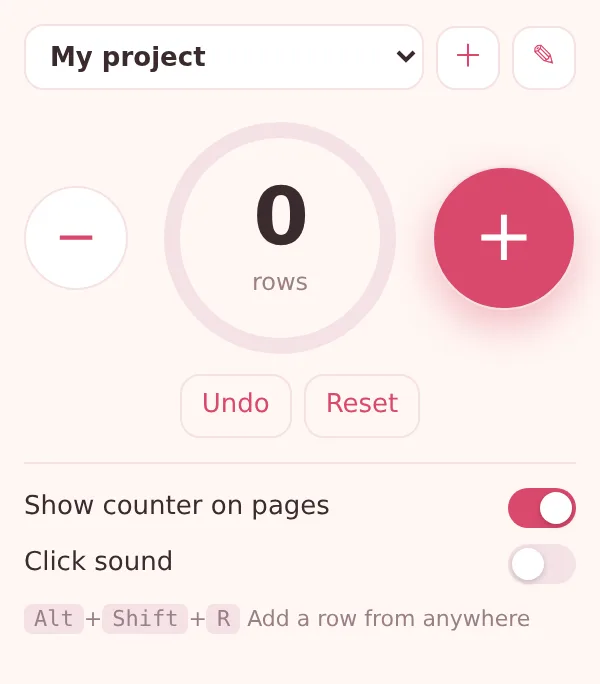
In the popup: 96 rows to the armhole, a 16-row cable panel. The ring fills towards the target and the counter adds «row 5 of 16, repeat 3» so the chart row is never in question.
Count without looking
Alt+Shift+R adds a row from any tab; turn on the click sound and you hear each press. Undo takes back a mistaken click, reset starts the next piece.
What you end up with
One counter that follows the pattern instead of living beside it. Every project keeps its own name, count, target, repeat length, notes and the history of the last 50 changes, in Chrome's local storage on this computer. Switch between the cardigan and the socks from the pill or the popup; hide the pill on sites where you do not knit.
Cable cardigan from a PDF
The pattern PDF is open in Chrome, the pill sits in the margin. Sixteen-row panel, 96 rows to the armhole — the counter shows both numbers and the ring says how far the body is.
Following a YouTube tutorial
The video pauses, the row ends, Alt+Shift+R. No tab switch, no phone unlocked with wet-blocked hands.
Two socks, one swatch
Three projects in the list: sock one is at row 60, sock two at 12, the gauge swatch at 24 of 30. Each remembers where it stopped.
How this compares with the usual ways of counting rows
| Phone counter app | On another device; unlock, find the app, wonder if you pressed | Row Counter: In the same tab as the pattern, one key from any page |
|---|---|---|
| Clicker / tally counter | One number, no repeats, no projects, no undo | Row Counter: Total row + repeat row, several projects, undo and history |
| Pen and paper | Marks get lost, nothing for the repeat | Row Counter: Count, target ring and repeat update together as you press |
FAQ
Does the row counter work on a PDF pattern?
Yes, when the PDF is opened in Chrome: the pill floats over the PDF viewer like over any page, and Alt+Shift+R works there too.
Can I count pattern repeats?
Set «Repeat every N rows» for the project. The counter then shows the row inside the repeat and the number of completed repeats next to the total.
Can I keep more than one project?
Yes — each project has its own name, count, target, repeat and notes. The first project and a few extra ones are free; ExtSpace Pro removes the limit.
Where are my counts stored?
In Chrome's local storage on this computer. Nothing is uploaded and no account is needed.
How do I hide the counter on a site?
Open the popup on that site and tick «Hide on this site», or use the pill's own menu. Alt+Shift+R keeps counting even when the pill is hidden.

Row Counter
Free Chrome row counter for knitting and crochet: a floating +1 pill on the pattern page or PDF, targets, pattern repeats, undo, several projects, Alt+Shift+R. Stored on your device.
Add Row Counter to Chrome — free